

CounselMore is designed to operate identically across all platforms. This is why the Counselor, Student and Parent portals all look alike. This is for the ease of use and maintaining a platform where dynamic collaboration can happen most effectively.
To get started with your CounselMore Student App
Download the CounselMore App Now (latest app version 3.0.0).
Or open the Apple App Store, search for “CounselMore” and tap Download.
Once the app is installed, you can access your student portal directly through mobile app.
Before accessing the CounselMore Mobile App, students and parents must first register and log in through the web portal. Once a counselor sends an invite to the student or parent portal:
-
Open the email invite from your counselor.
-
Click the registration link to create your account via the web.
-
Complete the registration process and log in at least once through the web portal.
-
After successful web login, download and log in to the CounselMore Mobile App.
⚠️ Important: Skipping the web registration step may prevent you from logging into the mobile app correctly.
Short video walkthrough of our iOS App.
(Coming soon to Android.)
A Streamlined Student Mobile Dashboard
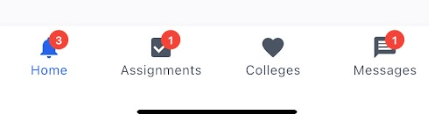
Once logged in, you’ll see four main tabs at the bottom of your screen:
-
Home
-
Assignments
-
Colleges
-
Messages
Each tab is designed to help you stay organized and informed with real-time updates.
Home Tab: Your Notification Center
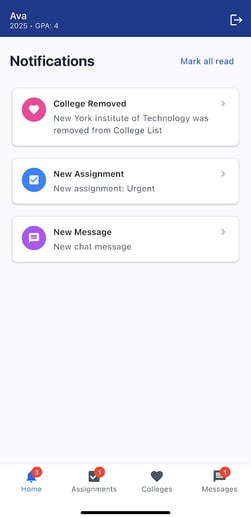
The Home page provides a quick overview of all your latest notifications, including:
-
Assignment updates
-
College list changes (what’s been added or removed)
-
Messages—emails, chat, and group chat activity
Tap any notification and you’ll be taken directly to the correct tab where the update occurred.
Each tab also displays a badge count (1–9+) showing how many new notifications you have.
Assignments Tab: Track To-Dos & Completed Tasks
The Assignments tab keeps your workload organized with two sections:
-
To-Do Assignments
-
Completed Assignments
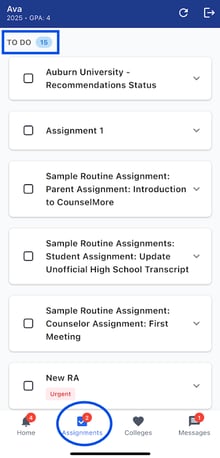
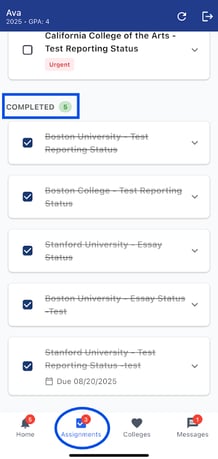
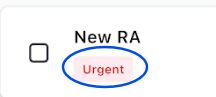
Each section shows the total number of tasks, and urgent assignments are clearly marked with an urgent badge.
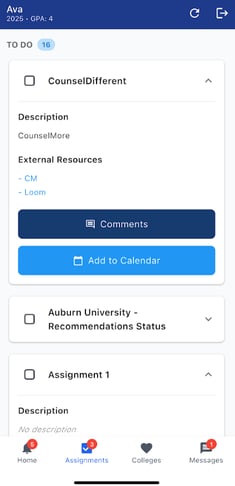
When you expand an assignment, you’ll see:
-
Task description
-
External links (if provided)
-
A Comments button to view or add comments
-
An Add to Calendar option
ℹ️ Once marked complete, tasks move instantly into the Completed section.
Colleges Tab: Your Full College List & App Tracker List
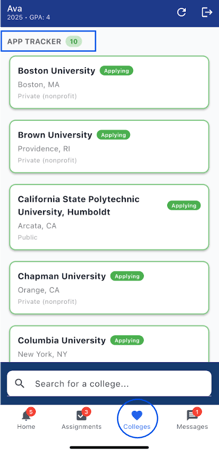
This tab includes:
-
App Tracker showing your favorited colleges
-
College List with all colleges added to your list
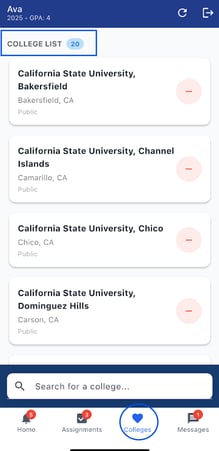
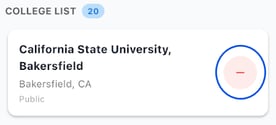
To remove a college from your list, click the red minus icon in the college list tab.
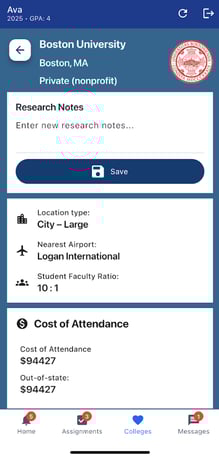
Tapping a college opens its full profile, including:
-
Research notes
-
Admission statistics
-
Test score ranges
-
Costs and financial data
ℹ️ Any Research Notes you type/dictate auto-save.
You can easily add a college by typing its name into the search bar—just start typing, and matching colleges will appear for you to select.
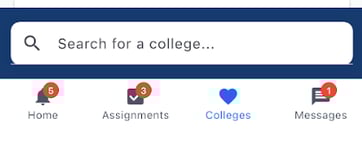
Whether you or your counselor make a change, the update appears instantly in your app. You can track up to 50 total colleges, and you’ll get an orange alert if you try to add a college that’s already on your list.


Messages Tab: Stay Connected With Your Counselor
The Messages tab brings your email, chat, and group chat into one convenient place. You can quickly scroll through your message history, see timestamps, and get new messages instantly—just like the web portal.
How Names Appear in Chat (IOS and Web)
Display names in chat depend on your account type:
Single License (No Management Suite)
-
There is no counselor distinction in chat.
-
Messages sent by counselors will display simply as:
“Counselor” -
Individual counselor names are not shown.
With Management Suite
-
Each counselor uses their own user ID (UID).
-
Messages display the counselor’s actual name.
Example:
John Smith
This allows students and parents to see which counselor sent the message.
Without Management Suite
-
Same behavior as Single License.
-
Counselor messages display as:
“Counselor”
Students and Parents (Contacts)

-
Students and contacts always display their own user ID (UID) when sending messages.
-
Their names will appear in the chat thread accordingly.
 To log out, click the logout icon located in the top-right corner of the screen.
Real-Time Sync Across All Devices
Whether you update something on the app or on the web portal, all changes sync immediately so students, parents, and counselors stay aligned throughout the college admissions journey.
CounselMore is also mobile-friendly.
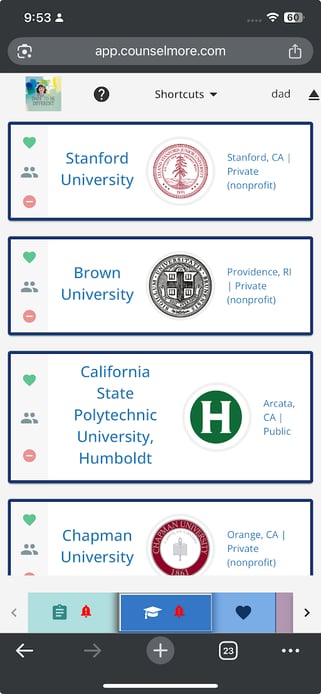
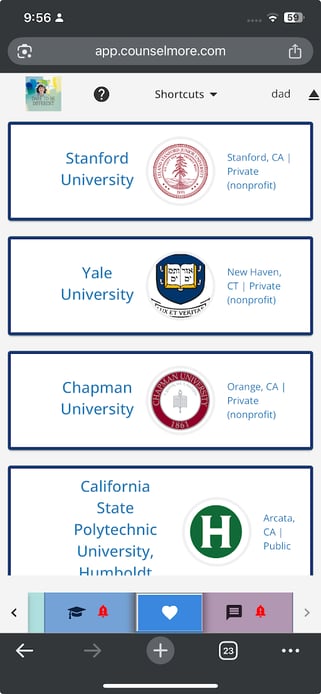
The images below show how everything you see on a computer remains accessible and intact on a mobile device — nothing is removed, altered, or hidden.
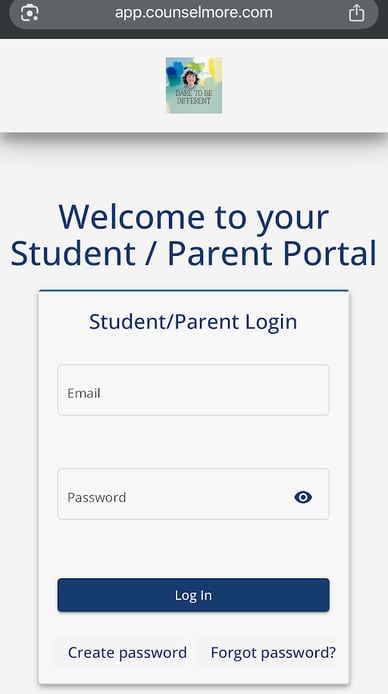
On your mobile device, open your Chrome browser mobile app and navigate to: app.counselmore.com and login as parent.
By selecting the graduation hat below, you may view your student’s college list.
The App tracker, which lets you keep track of each application required for each school, can be viewed by clicking the heart icon.
By selecting the chat icon at the bottom right, parents can quickly start a conversation with their counselor or group chat. This makes it simple for the parent, student and counselor to communicate.

By selecting the cardboard icon in the lower left corner, parents can view their Assignments. Once the assignment is completed, mark it as completed by checking the box directly next to it.
ℹ️ Once marked complete, tasks move instantly into the Completed Tasks section.

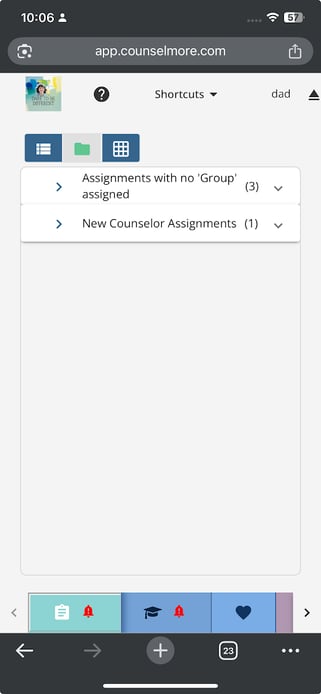
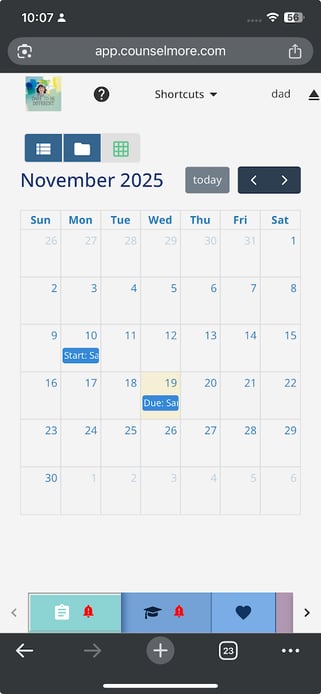
Depending on your preferences, parents can choose how to display the assignments using three view options:
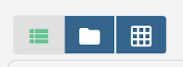
Assignments List View
Folder View
Calendar View
⚠️ Students and parents can use the web app and the iOS mobile app.
Looking for Mobile App Training?
To learn how counselors and students use the mobile app to take college tour notes and save them directly into College List Notes and Student Research Notes, see:
👉 New Accounts Training: Mobile Apps for Counselors & Students – Take College Tours Notes Directly into College List Notes and Student Research Notes