
Before You Begin
For fit evaluations to generate meaningful results, the student must complete the:
-
Student Information Banner
-
Fit Assessments Banner
-
Testing Strategy & Planning Banner
These sections provide the academic and personal data used to calculate fit evaluations. If incomplete, the report may contain limited or no data.
How to Download the Fit Evaluations Report
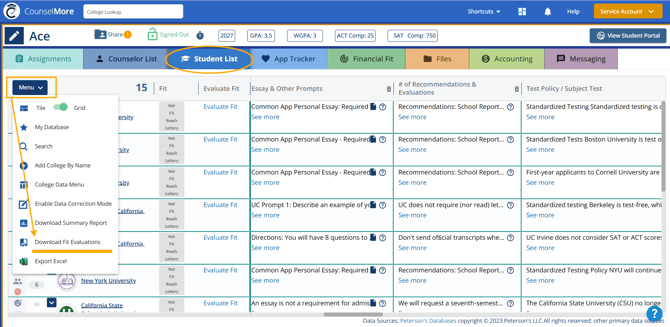
-
Log in to your counselor account.
-
Open the student's profile.
-
Go to the Student List .
-
Click the Menu button.
-
Select Download Fit Evaluations from the dropdown menu.
-
The system will generate and download the Fit Evaluations Report for that student.
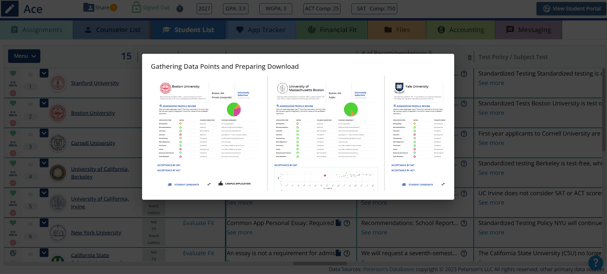
What the Report Includes
The downloaded report contains fit evaluation data for:
-
The selected student
-
All colleges listed in that student’s Student List (College List)
-
Academic comparison data, including:
-
GPA comparison
-
SAT and ACT comparison
-
Admissions profile review factors
-
Student academic profile vs college benchmarks
-
Fit evaluation indicators and metrics
-
Each college listed for the student will have its own fit evaluation section in the report.
See example report here: Fit Evaluation Report_Ace.pdf
When to Use This Report
Counselors use the Fit Evaluations Report to:
-
Review how well a student aligns with their selected colleges
-
Identify net, fit, reach, and lottery schools
-
Support college advising discussions
-
Monitor student readiness and planning