
ADD A STUDENT and populate student record & application draft information simultaneously.
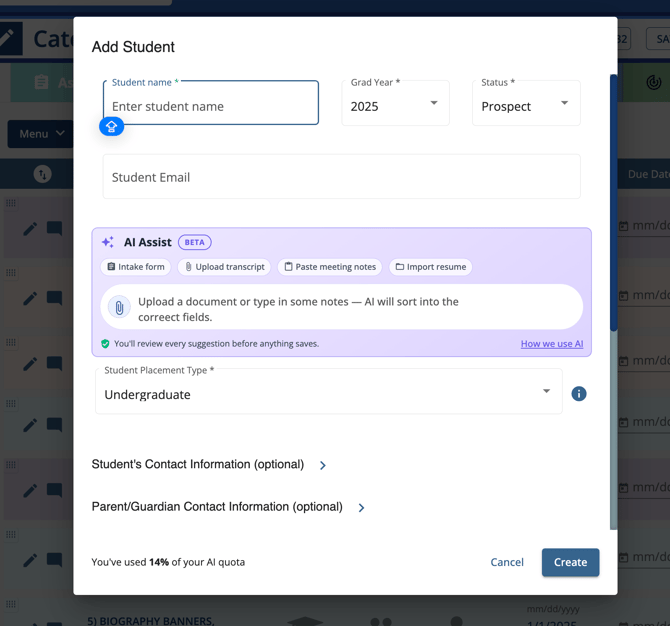
Where AI Can Import Data
AI Assist can automatically fill the following Bio Banner sections:
- Student Info
- GPA
- Classes / Coursework
- Course Progression
- Contacts
- Test Scores
- Activities / Awards
- Languages
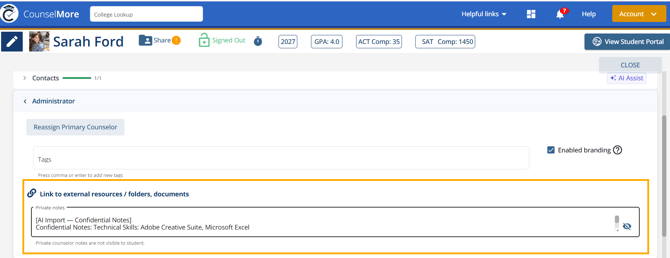
💡Any items that don’t fit into an existing field should be shown as Confidential Notes
How to Use AI Assist
1. Paste/Type

Best for: Meeting Notes and Counselor Notes
How it works:
- Paste/type meeting notes
- AI parses
- Data is automatically mapped into relevant Bio Banner fields
2. Upload Documents
Best for: Transcripts, resumes, PDFs, recommendation drafts
How it works:
- Upload a document (e.g., transcript or resume)
- AI scans and extracts structured data
- Information is categorized and placed into Bio Banner fields
AI Processing Behavior
When AI Assist is used, the system:
- Reads unstructured input (text or document)
- Identifies key academic and extracurricular data
- Maps data into predefined Bio Banner categories
- Displays a preview for review before saving
Best Practices
- Use clear, complete sentences for better extraction accuracy
- Include GPA, test scores, and grade level when available
- Upload clean, readable documents
- Always review AI-generated entries before confirming
To improve existing information:
Bulk export to spreadsheet and import updated spreadsheet via AI Bulk Import